RViz Tasks Panel
RViz2 panel plugin for dispatching and monitoring ROS 2 task action goals. Provides a tabbed GUI where operators can parameterize, execute, and cancel tasks on any discovered robot, with live feedback and result display.
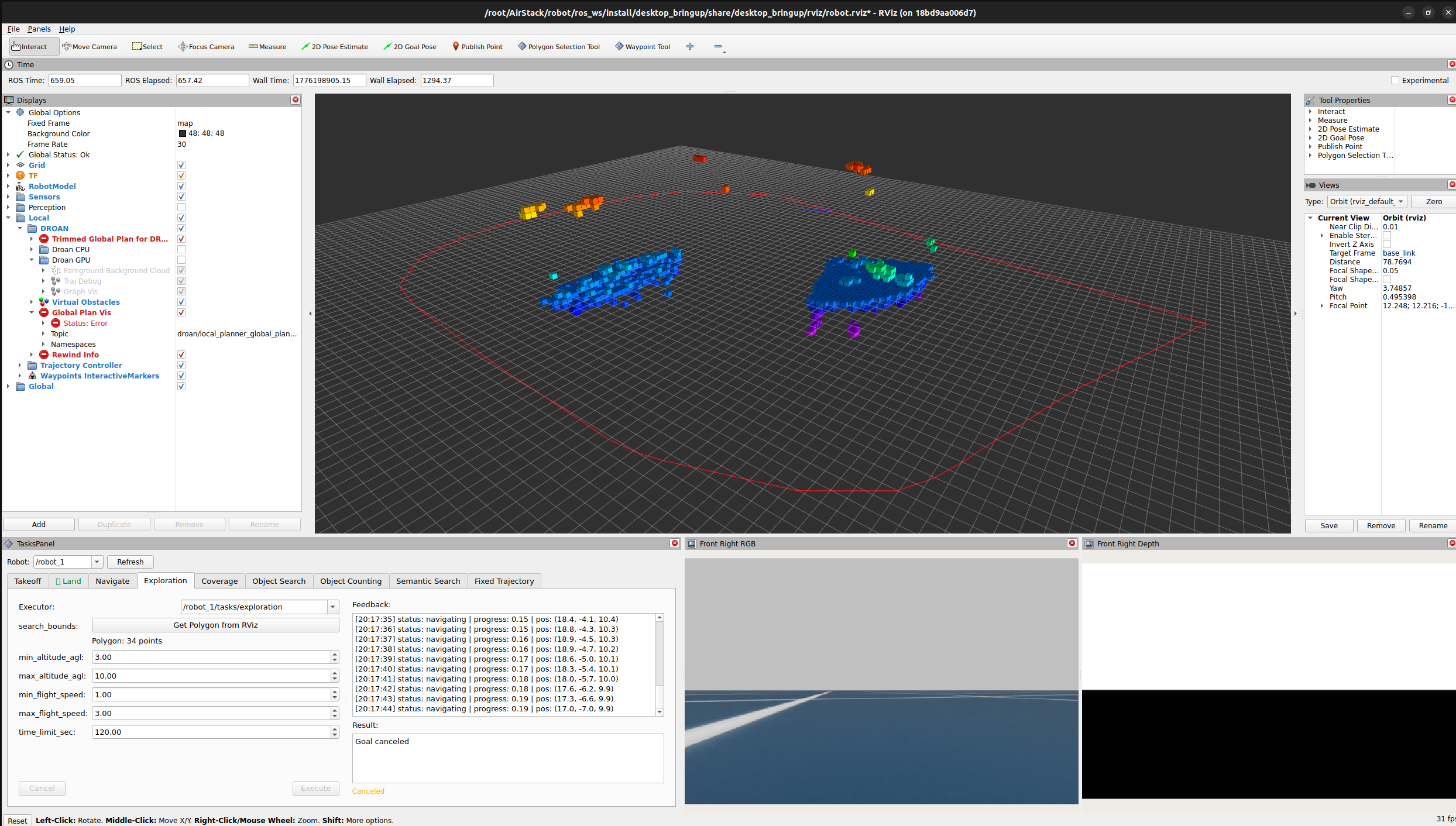
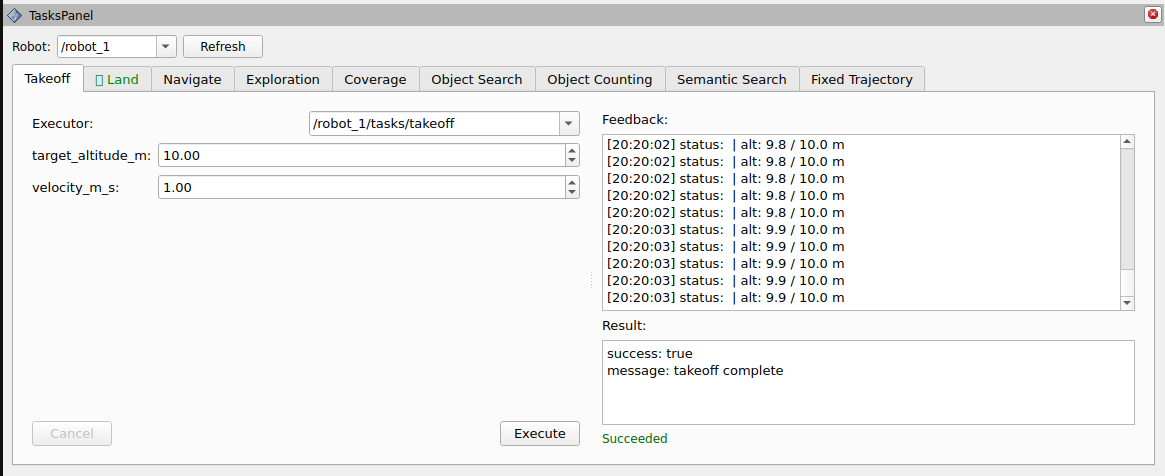
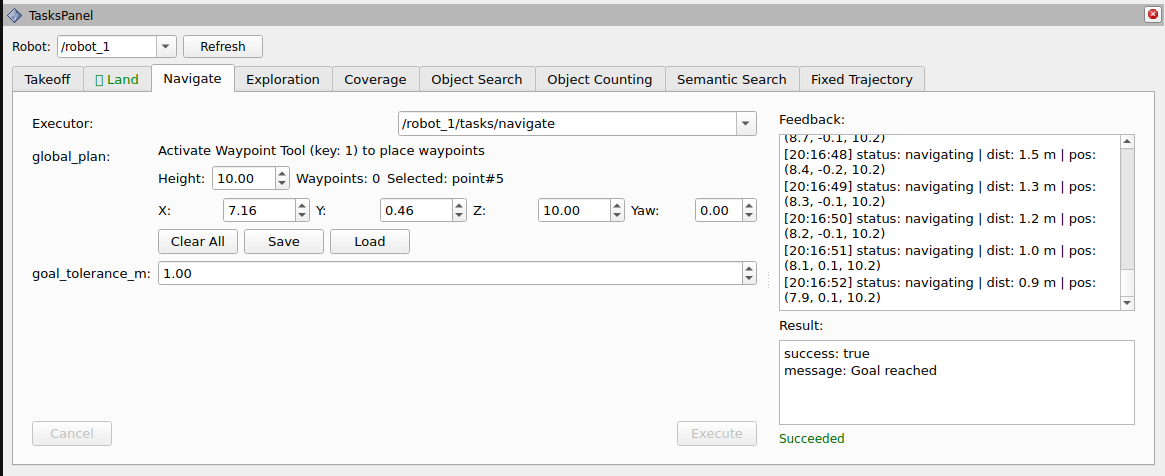
Overview
The Tasks Panel replaces CLI-based action goal dispatch with a graphical interface for all 8 AirStack task types. Each task type gets its own tab with auto-generated parameter widgets, an executor selector, and a feedback/result view.
The Navigate tab integrates directly with the
waypoint_rviz2_plugin package's shared WaypointManager
singleton, providing inline controls for placing, editing,
saving/loading, and executing waypoint-based navigation -- no
separate waypoint panel needed.
+-----------------------------------------------------+
|  Tasks Panel                      Robot: [robot_1]   |
+-----------------------------------------------------+
| [Takeoff] [Land] [Navigate] [Exploration] [Coverage] |
+-----------------------------------------------------+
|  +- Goal Parameters -----+  +- Feedback & Result -+ |
|  | Executor: [/robot1/..] |  | Feedback:           | |
|  | Height: [2.0]  Wp: 3   |  | [live stream]       | |
|  | X:[1] Y:[2] Z:[2] Y:[0]|  |                     | |
|  | [Clear] [Save] [Load]  |  | Result:             | |
|  | goal_tolerance_m: [1.0] |  | [goal outcome]      | |
|  | [Cancel]     [Execute]  |  |                     | |
|  +-------------------------+  +---------------------+ |
+-----------------------------------------------------+
Features
- 8 task tabs with auto-generated goal parameter widgets
- Executor discovery -- scans ROS 2 topics every 5 seconds to find running action servers
- Robot namespace selector -- auto-populated from discovered action server namespaces
- Polygon input -- integrates with
rviz_polygon_selection_toolto capture 3D polygon selections - Integrated waypoint controls -- the Navigate tab embeds
waypoint management (height, X/Y/Z/Yaw editing, Clear, Save,
Load) via the shared
WaypointManagersingleton fromwaypoint_rviz2_plugin - Fixed Trajectory editor -- type dropdown with auto-populated default attributes in an editable key-value table
- Live feedback -- timestamped feedback messages stream in real time
- Result display -- color-coded status (green = succeeded, red = aborted, orange = canceled)
- Config persistence -- robot and executor selections are saved/restored with the RViz config
- Single-task lock -- only one action may execute at a time to prevent conflicts
- Airborne-only tasks -- Land, Navigate, and all mission
tasks are disabled until the drone is airborne (subscribes to
is_airbornefromtakeoff_landing_planner); Takeoff is always available while idle
Supported Task Types
Tasks marked airborne-only are disabled until the drone is in the air.
| Tab | Action Type | Key Parameters | Airborne-only |
|---|---|---|---|
| Takeoff | TakeoffTask |
target_altitude_m, velocity_m_s |
|
| Land | LandTask |
velocity_m_s |
✓ |
| Navigate | NavigateTask |
global_plan (Path), goal_tolerance_m |
✓ |
| Exploration | ExplorationTask |
search_bounds (Polygon), altitude/speed, time_limit_sec |
✓ |
| Coverage | CoverageTask |
coverage_area (Polygon), line_spacing_m, heading_deg |
✓ |
| Semantic Search | SemanticSearchTask |
query, background_queries, search_area, confidence_threshold |
✓ |
| Chat | ChatTask |
text, images (file upload) |
|
| Fixed Trajectory | FixedTrajectoryTask |
trajectory_spec, loop |
✓ |
Widget Type Mapping
| ROS Type | Widget | Notes |
|---|---|---|
float32/float64 |
QDoubleSpinBox |
Range from registry |
int32 |
QSpinBox |
Range from registry |
string |
QLineEdit |
Free-text input |
bool |
QCheckBox |
Toggle |
geometry_msgs/Polygon |
QPushButton |
Calls get_selection service |
nav_msgs/Path |
Waypoint controls | Inline height/pose/buttons via WaypointManager |
airstack_msgs/FixedTrajectory |
QComboBox + QTableWidget |
Type + attributes |
Dependencies
rviz_common-- RViz2 panel base classpluginlib-- plugin loadingrclcpp/rclcpp_action-- ROS 2 node and action clienttask_msgs-- action definitions for all 8 task typesairstack_msgs--FixedTrajectorymessagegeometry_msgs/nav_msgs/std_msgs-- standard message typesdiagnostic_msgs/action_msgs-- status introspectionrviz_polygon_selection_tool-- polygon selection servicewaypoint_rviz2_plugin-- sharedWaypointManagersingleton- Qt5 (Core, Widgets, Gui)
Build
Usage
- Launch RViz2
- Go to Panels > Add New Panel
- Select rviz_tasks_panel / TasksPanel
- The panel auto-discovers running task action servers and populates the Robot dropdown
- Select a tab, configure goal parameters, and click Execute
- Monitor feedback in the right pane; click Cancel to abort
Waypoint Navigation (Navigate tab)
- Activate the Waypoint Tool (key 1) in the RViz toolbar
- Left-click in the 3D viewport to place waypoints
- In the Navigate tab, adjust Default Height, or edit the selected waypoint's X/Y/Z/Yaw spinboxes
- Use Save / Load to persist waypoints as
.db3files - Use Clear All to remove all waypoints
- Set goal_tolerance_m and click Execute to navigate
Polygon Selection
For tasks requiring a polygon boundary:
- Activate the Polygon Selection Tool in the toolbar
- Draw a polygon in the 3D viewport
- Click Get Polygon from RViz in the relevant task tab
Fixed Trajectory
- Select a trajectory type from the dropdown
- Edit default attributes in the key-value table
- Click Execute
Executor Discovery
The panel scans get_topic_names_and_types() for topics matching
*/<action_topic_suffix>/_action/status. For each match, it
extracts the robot namespace and populates:
- The top-level Robot dropdown
- Each tab's Executor dropdown
Discovery runs every 5 seconds and can be triggered manually with the Refresh button.
Architecture
- Compile-time task registry:
getTaskDefs()returns a static vector ofTaskTypeDefstructs defining all task types - Shared waypoint state: The Navigate tab holds a
shared_ptr<WaypointManager>(singleton fromwaypoint_rviz2_plugin), the same instance used byWaypointToolfor 3D mouse interaction - Type-erased action clients:
std::anystores templatedrclcpp_action::Clientinstances per tab - Thread safety: ROS 2 callbacks use
QMetaObject::invokeMethodwithQt::QueuedConnectionto marshal UI updates to the Qt main thread - Airborne gate: subscribes to
{robot}/is_airborne(std_msgs/Bool fromtakeoff_landing_planner); per-tab Execute buttons are enabled only whentask_idle && airborne_ok, whereairborne_ok = !requires_airborne || is_airborne_
License
MIT -- Carnegie Mellon University